Two solutions for one BrightPay file — between them, Odoo 19 and 20, Community and Enterprise.
BrightPay payroll into Odoo
BrightPay runs the payroll; Odoo gets the accounting from the same CSV file — no retyping of wages, PAYE and National Insurance.
The problem
Many UK small businesses run payroll in BrightPay and keep their books in Odoo. Every month someone types the payroll into Odoo by hand: gross wages, PAYE and National Insurance, employer NIC and net pay for each employee. It takes time, and one wrong figure means the HMRC balance no longer matches.
What we built
BrightPay exports each pay run as an “Other Journal” CSV file. We built two solutions that read that same file. Which one fits depends on your Odoo:
| Journal entry | Payslips | |
|---|---|---|
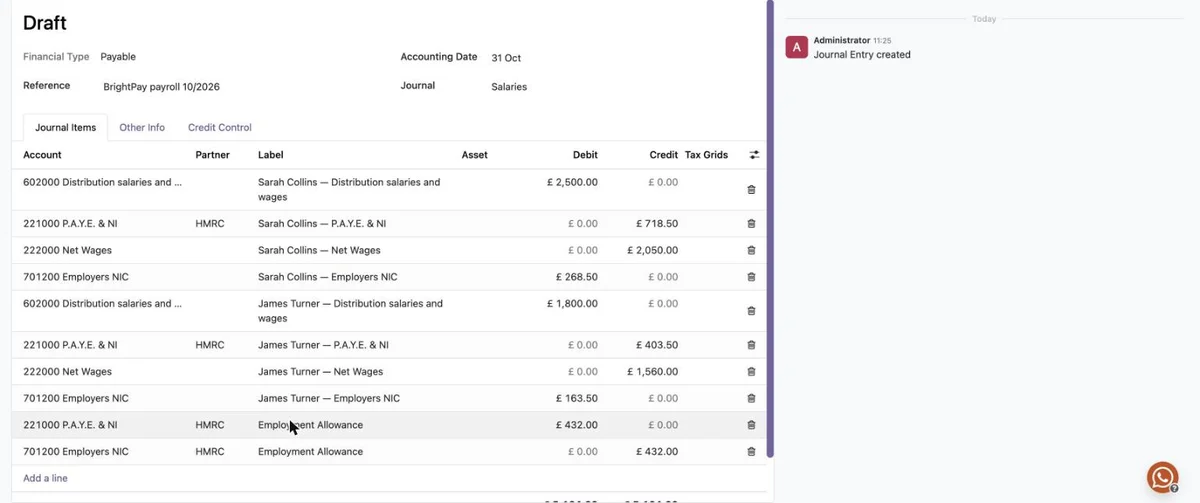
| What it does | The file becomes one payroll journal entry: HMRC as the partner on PAYE and NI, net pay per employee, and the Employment Allowance as a separate pair of lines. The same file cannot be imported twice. | The file fills the payslips of a Pay Run in Odoo Payroll and checks each employee’s net pay against BrightPay; then the usual Payroll journal entries follow. |
| Odoo version | Odoo 19 | Odoo 20; for Odoo 19 — built on request |
| Edition | Community and Enterprise, on your own server or Odoo.sh | Enterprise with Payroll, including Odoo Online |
| Not available on | Odoo Online — it is a Python module | Odoo Community — Payroll is part of Enterprise |
Journal entry
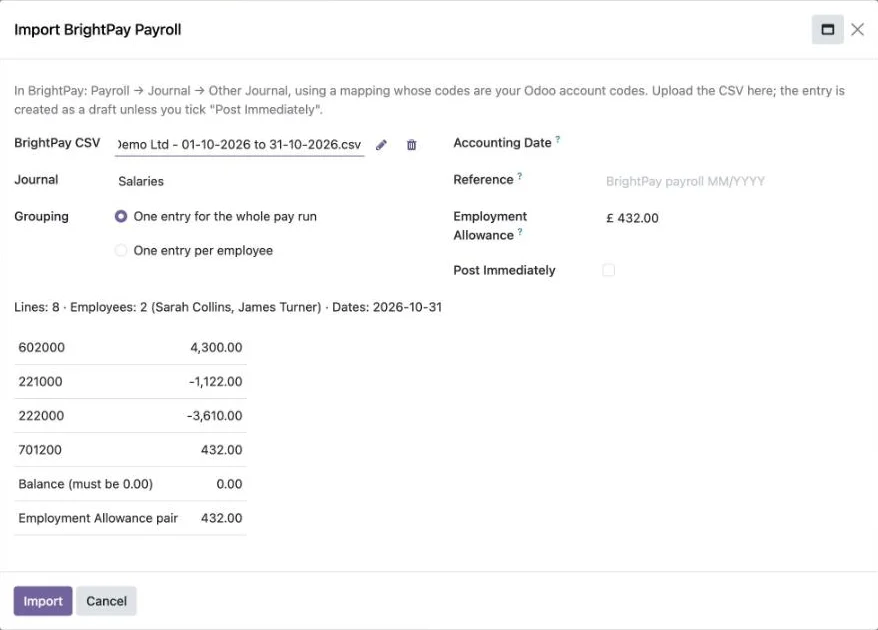
Upload the CSV and check the summary — lines, employees, totals per account and the balance — and enter the month’s Employment Allowance if you claim it. The entry is created as a draft unless you choose to post it straight away, and the CSV is attached to it.
Payslips
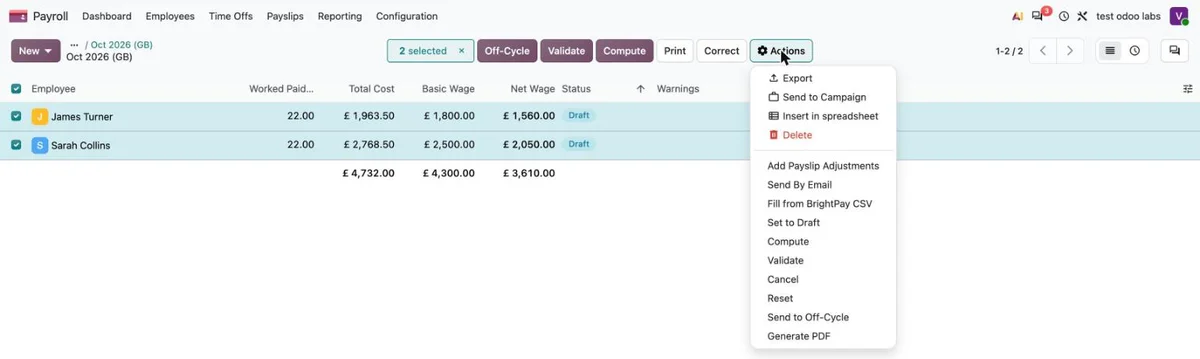
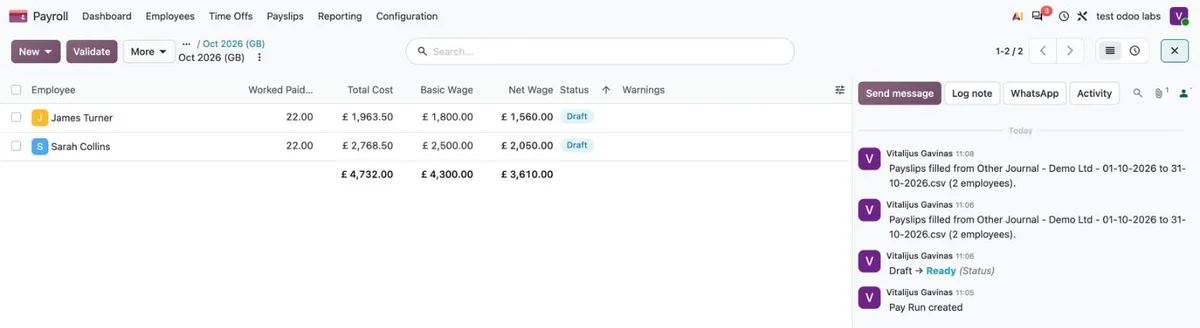
Attach the CSV to the Pay Run and choose Fill from BrightPay CSV. One payslip per employee is created or updated with gross pay, PAYE and employee NI, employer NIC and net pay. If Odoo’s net pay differs from BrightPay’s, nothing is saved. Then validate the Pay Run as usual.
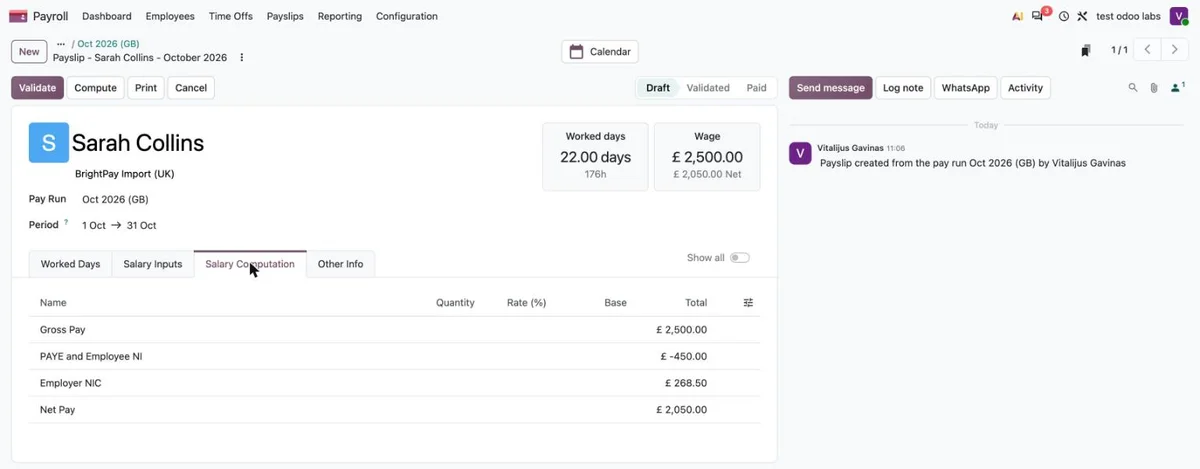
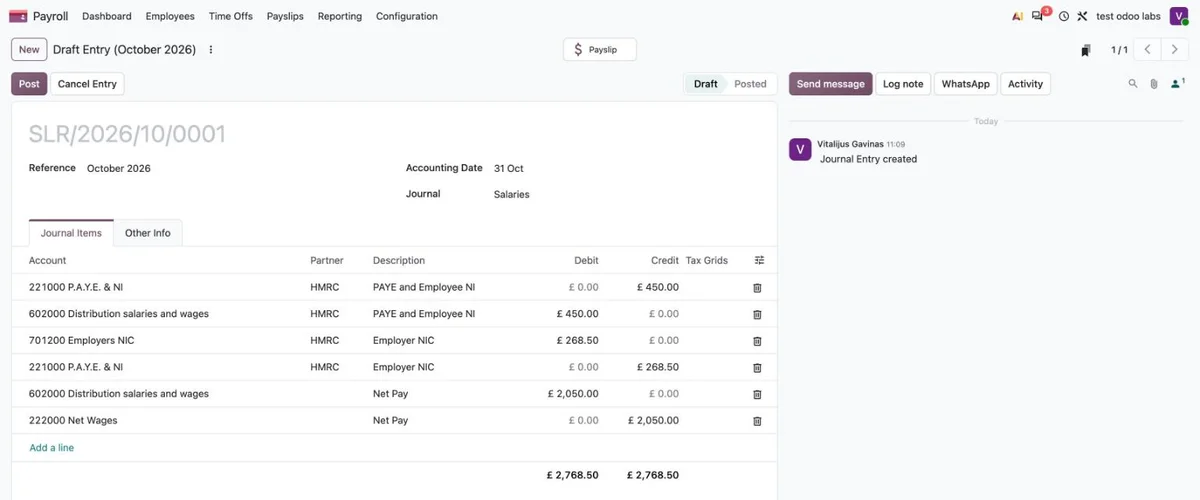
Screenshots use demo employees and amounts.
Technology
Both solutions read BrightPay’s standard Other Journal export. Nothing connects to BrightPay or sends data anywhere, and the payroll figures stay in your own Odoo. BrightPay still does the payroll calculations — Odoo does not recalculate tax.
In this file PAYE and employee NI come as one line, so the payslip shows them as one deduction.
For technical readers: journal entry — a Python module for Odoo 19 that depends only on Accounting, with automated tests; payslips — a data module for Odoo 20 (a salary structure with four input-value rules and one server action) that installs on Odoo Online through Import Module.
Result and status
Ready for clients. Tested on our own September 2026 payroll: both solutions match BrightPay to the penny. Loading the same file again is refused by the journal entry module, and the payslip action simply replaces the inputs, without duplicates. Journal entry: version 1.0.3 for Odoo 19, tested on our Odoo Community test server. Payslips: version 1.0.2 for Odoo 20 Enterprise, tested on an Odoo Online database.
Get it for your business
- Licence for one database: £295 one-off.
- Installation and set-up: £195.
- Updates and changes: Odoo Care £195 a month, or £85 an hour.
No VAT is charged — we are not VAT-registered. If we become VAT-registered, VAT at the applicable rate will be added from that date.